
Edit video from Codex
Connect Codex to BetterEdits once and it gets the same tools Claude Code does: the open video as a document, the words in your footage, frames to check its work, and export. The terminal and the Codex app share one setup.
macOS 15 or later, Apple silicon. Agents need Pro, which starts with a 7-day free trial.
Connect Codex to BetterEdits
Codex runs in your terminal or in the Codex app on your Mac. The setup takes one click in BetterEdits.
- 01
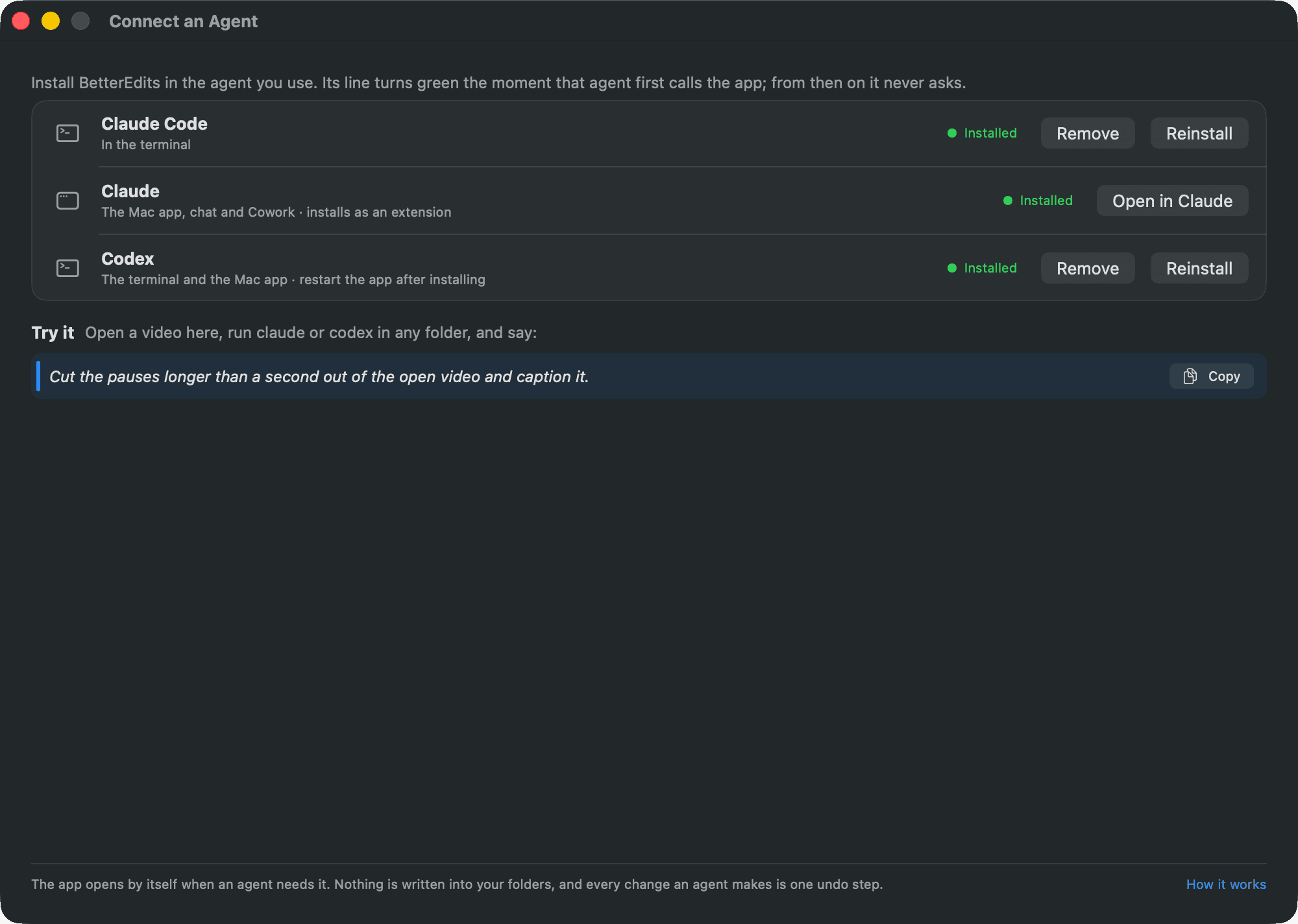
Open Connect an Agent
In BetterEdits, choose Help › Connect an Agent… or click the Agent button in the toolbar.
- 02
Click Install next to Codex
BetterEdits is added to Codex's own configuration, which the terminal and the Mac app share, and set to run the tools without asking. New terminal sessions see the tools at once. Restart the Codex app if you use that.
- 03
Ask for something
Open a video in the app, run codex in any folder, and say: “Cut the pauses longer than a second out of the open video and caption it.” The agent already knows how videos are made here, because the guide travels with the server.
The manual has the commands and the files for doing it by hand: Connect an agent.

Cut, caption, lay out, export
- Cut based on the transcript
It has every word in your footage with its timing, so a cut can start at a sentence and a pause is a number.
- Lay out a structure
Named placeholders with notes, a title over the hook and a music slot, before there is a single clip.
- Caption from the words
Bars written from the transcript, cut by your rules, never across a cut, one speaker per bar.
- Check its own work
It renders a frame or a contact sheet of the cut and reads it like any image before it says it's done.
- Export
HD to 4K at the frame rate you ask for, with HDR kept. Files go to your Movies folder.
- Show you what it means
It can move the playhead, select a clip and bring the app to the front.
- >Read the transcript of Video 1, then cut out the pauses longer than a second. Leave a little air around each cut and show me a contact sheet when you are done.
- >Add a title in the Strong favorite over the first two seconds that says "Stop doing this", near the top. Then put subtitles on the video with the default style at the bottom.
- >Start a new video called Hook v2 with three placeholders: hook, demo, call to action, five seconds each, with a music placeholder underneath.
- >Move the title so it starts on the second shot, and shorten every b-roll clip to two seconds. Show me a contact sheet.
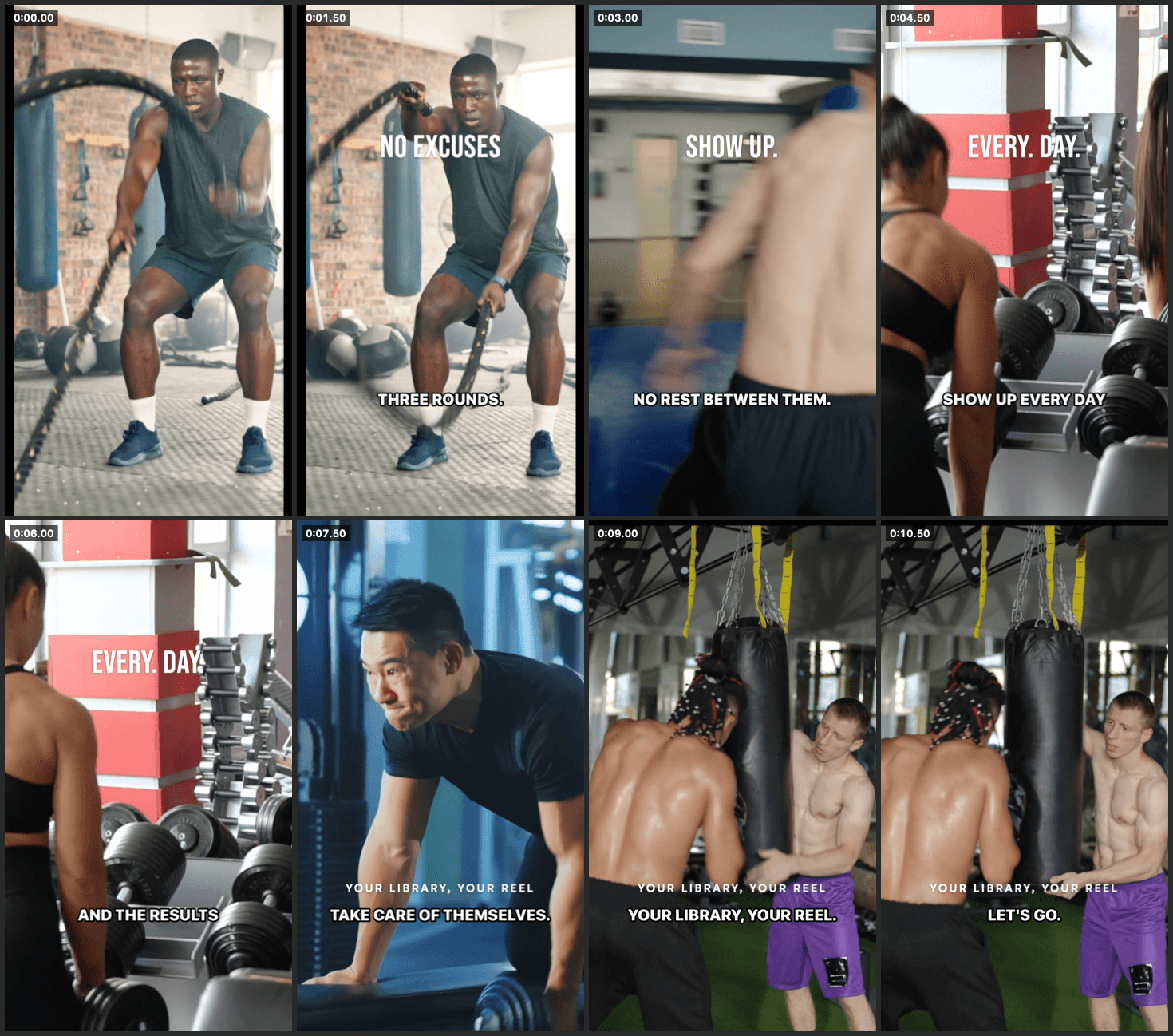
A contact sheet the app drew for the agent: one frame per clip, captions and text included.
Agents can't watch video. BetterEdits reads it for them
A language model has no eyes and no ears. Give it a folder of raw footage and the best it can do is cut by the clock. BetterEdits analyses each file once and hands the agent what it found as text: every spoken word and when it was said, who said it, the pauses, the words on screen, the scenes and the beats. That is why “cut the pauses” lands on the right frame, and why an agent can't do this on its own.
- Every word, timed
The transcript with a start and an end for each word, so a cut can begin exactly where a sentence does.
- Who said it
Speakers are told apart, so a change of voice ends a caption bar and a two-person clip cuts cleanly.
- The pauses
Every silence and false start as a number. That is what “cut the pauses” is made of.
- What is on screen
Text the camera saw, so the agent can find the slide or the sign you mean.
- Scenes and beats
Where the picture changes and where the music lands, for montages cut on the beat.
On Pro the app analyses everything in your workspace by itself as files arrive, and saves the result next to each file. Every cut you make from that file afterwards costs nothing more. See pricing.
- 0:00.0sceneTalking head at a desk, daylight, one person
- 0:00.0silence2.4 s before the first word
- 0:02.4speakerSpeaker 1
- 0:02.4words“So— so here’s the thing”
- 0:04.1silence1.3 s (a false start)
- 0:05.4words“Three rounds a week is all it takes”
- 0:09.0on screenWEEK 1
- 0:41.2sceneCut to the gym, handheld
What the agent reads for one file. It is text, so the agent can reason about all of it at once.
The agent can only do what you could do yourself
The agent asks the app for the open video as one document, edits it, and hands it back. The app checks every line and applies it as one undo step, or refuses it, says where the problem is, and changes nothing.
- Undo in the editor
Every change is one step in the app's undo stack, even a rewrite of the whole timeline.
- Same rules as the window
The agent goes through the same code you do. It can't reach a state the window can't, and it can't skip a confirmation the window would ask for.
- Refused, not applied
A mistake is refused with the place it happened, and the app keeps your version until it's fixed.
- Nothing in your folders
The agent brings its own model. The app holds only your BetterEdits sign-in, in its own settings, never in a workspace.
Questions about Codex
- Does the app have to be open?
- No. The tools talk to the running app, and they launch it in the background when it isn't running.
- What can it break?
- Only what you could break from the window yourself, and each change is one undo away. The app checks everything the agent sends. A mistake is refused with the place it happened, and nothing changes.
- Do I need an API key?
- Not for the app. Codex uses your own OpenAI account, as it does for everything else.
- Is it as good as Claude Code?
- The tools and the guide are the same. We test every build with Claude Code. Codex gets the same server, and we fix what it trips on when we hear about it.
- Is this part of the free editor?
- No. Agents are Pro: $29 a month, or $23 a month billed yearly, after a 7-day free trial. Connecting is free. The first tool call needs Pro, and the agent tells you how to start the trial.
The manual explains the whole round trip in How an agent edits, and lists every tool on Command line. Also for Claude Code and Cursor.
Try it on your next video
The editor is free, and Codex is one click away.