
BetterEdits
A single-timeline video editor for the Mac that Claude Code and other agents can drive.
BetterEdits is a small, fast video editor for the Mac. You drop footage on one timeline, trim it, add music, a voiceover, text and subtitles, and export an MP4. Your videos live in a workspace, a document of plain files. Editing by hand needs no account. Claude Code and other agents drive the app through its MCP server, which is part of Pro, and what they know about your footage comes from analysing it once. This manual covers the editor page by page, then the agentic side.
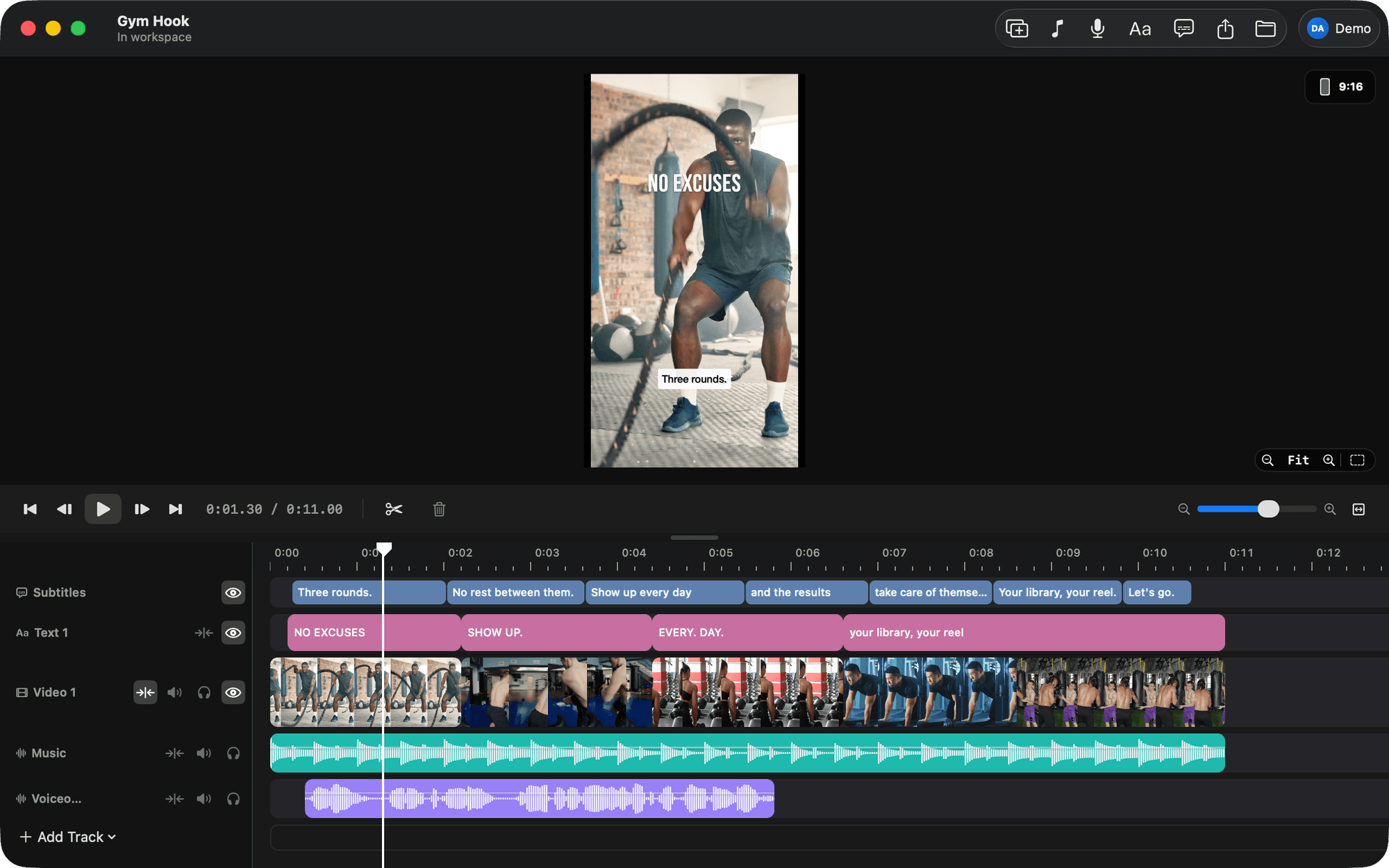
The windows
BetterEdits has three kinds of window and a Settings window. They are peers: opening a video never hides the workspace, and several videos can be open at once.
- The workspace window opens first. Its sidebar shows the workspace name and its media folders; the main area lists your videos as cards, each saying whether it is open, being edited by an agent or exporting. New Video and Import Video Folder… live here. See Workspaces and Videos.
- A video window opens when you pick a video, one per video. The viewer sits at the top with the canvas pill in its corner and the Guides and zoom controls below it. The Sources sidebar on the left holds the media. The toolbar holds Export, Video, the Agent button and the account badge. The timeline fills the bottom, with the transport bar above it: play and step, the timecode, Split and Delete, then Voiceover and Text. Whatever you select has its settings on the right: a clip, a track, or a subtitles track with its Track and Bars tabs.
- A library window shows one media folder on its own; see Sources.
- Settings (⌘,) has five tabs. See Settings.
The manual
| Section | Start here |
|---|---|
| Getting started | Install, then Your first video |
| Workspaces | Workspaces: the document, media folders, Sources and Videos |
| Editing | Timeline, Clips, Viewer and canvas, Tracks, Placeholders and templates |
| Text and captions | Text and Captions |
| Sound | Voiceover and music |
| Export | Export |
| Agentic use | Pro, then Connect an agent, How an agent edits, Analysing footage and the Command line |
Every key the editor listens to is on Shortcuts; every setting is on Settings.
Free and Pro
Everything you do by hand in the window is free, with no sign-in: every cut, caption, text and export, every update. Pro is agentic use: an agent driving the editor through its MCP server or the command line, and analysing footage so the agent knows every word and when it was said. See Pro.