
Can Claude Code edit video? What an AI agent can and can't do with footage
An agent has no eyes and no ears. What BetterEdits gives it instead, which asks work well, and where you still have to look yourself.
People ask whether Claude Code "watches" the video. It doesn't, and neither does Codex, Cursor or any other agent. A language model has no eyes and no ears. Left alone with a folder of raw footage, the best it can do is cut by the clock. Knowing exactly what it works from in BetterEdits tells you which asks will land and which won't.
What the agent works from
Three things.
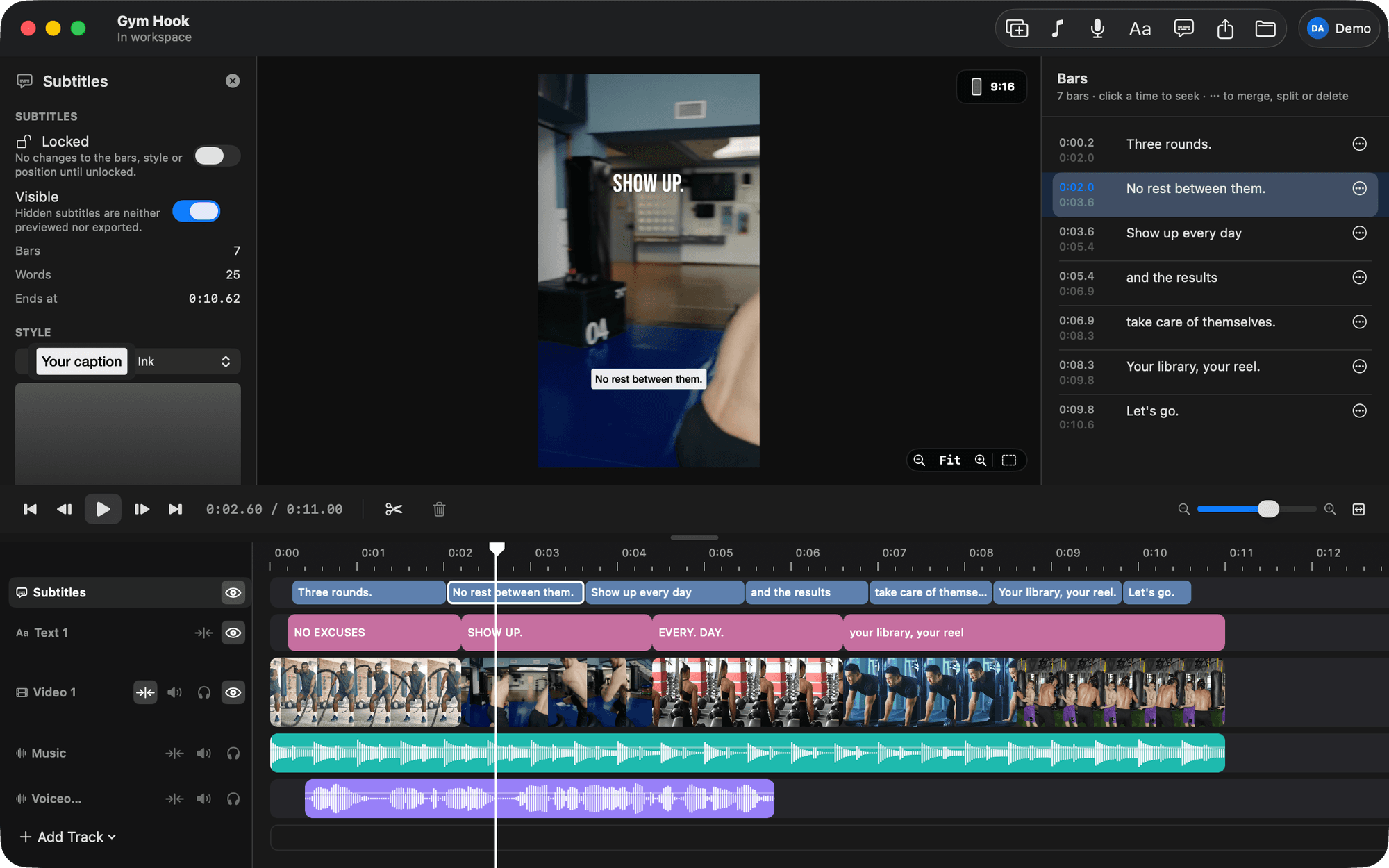
The video as text. A BetterEdits video is three JSON files written to be read: the tracks, every clip with its file and its in and out points, every text and caption bar. The agent reads the timeline the way you read a script. It knows what's on the timeline, in what order, and for how long.
The analysis. This is the part BetterEdits adds, and the part no agent has on its own. On Pro the app analyses every file in your workspace, and a small document ends up next to each one with every spoken word and its timing, who said it, the pauses, the text on screen, the scenes and the music beats. The agent reads it whole, as text. This is where "cut the pauses" comes from: the pauses are in the document as numbers, and "start at the sentence where I name the feature" is a search, not a guess.
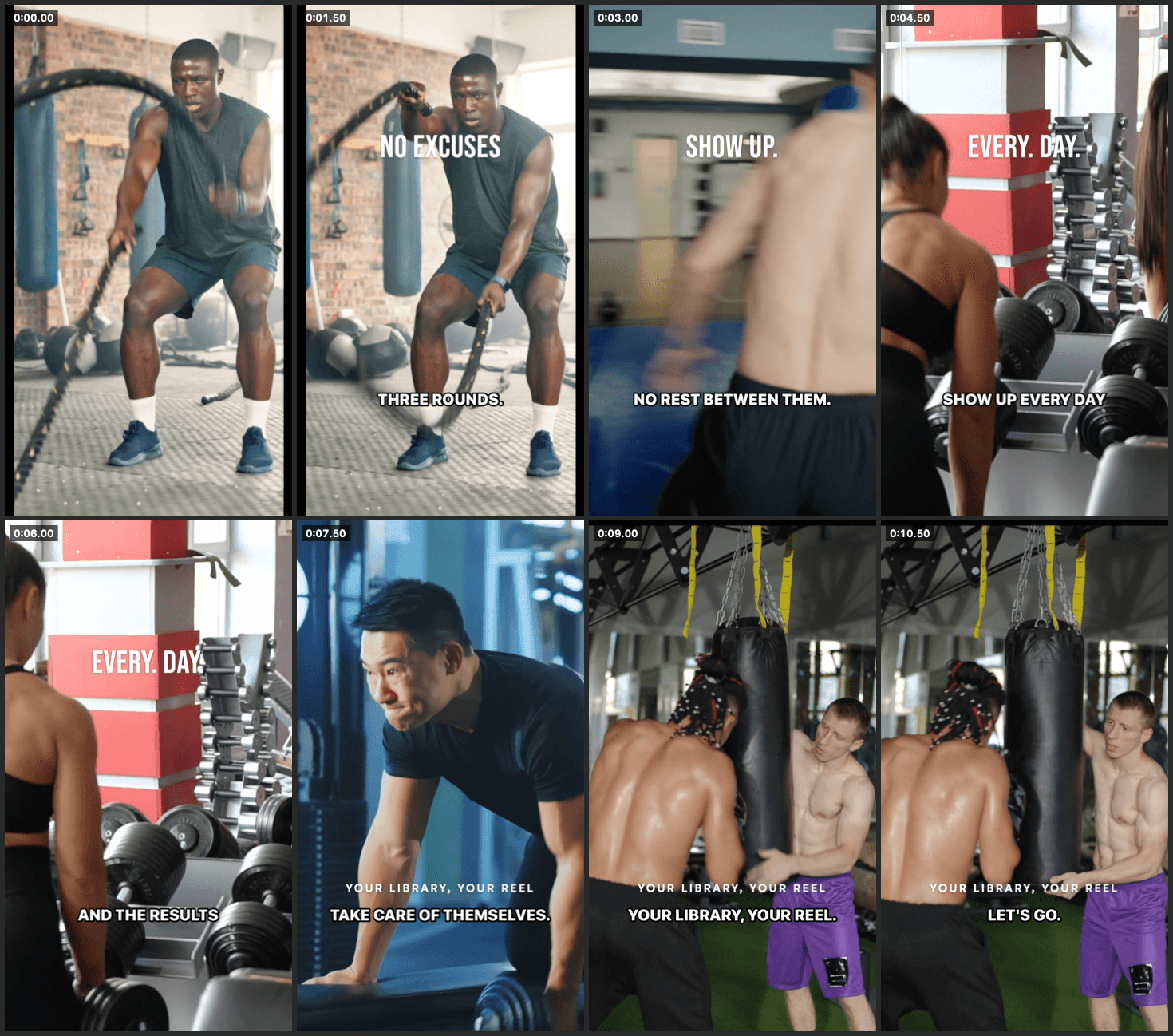
Pictures it asks for. The app renders a frame at any time, or a contact sheet with one frame per clip and the captions and text drawn on. The agent asks for these and reads them like any image. This is how it checks a cut, notices a caption sitting under the Reels UI, or sees that a title covers a face.
That's all of it. No motion, no sound, no sense of pacing beyond the numbers.
What works well
Anything the transcript describes, the agent does well and fast.
- Cut every pause over a second. Remove the false starts. Leave a little air.
- Find the moment where I say the product name and start the clip there.
- Turn a twenty-minute recording into five clips, one per topic.
- Caption it, never across a cut, one speaker per bar.
- Move the sentence with the hook to the front.
Anything structural works too: lay out a hook and three points as slots, put a title over the first two seconds, set the canvas, export at a size.
What doesn't
Anything that needs watching motion, or taste.
- Pick the take where I look best.
- Cut this b-roll montage to the beat so it feels good.
- Choose a font that suits the mood.
- Notice that the camera drifted out of focus at 1:40.
It can approximate some of these from numbers. The music beats are in the analysis, so a montage cut on the beat is possible, and it will be on the beat. Whether it feels good is a question it can't answer. You can, in a second, on the contact sheet. Then tell the agent what to change by pointing at a clip by its words.
How to work with it
Give the agent the jobs that live in the transcript and keep the judgement calls for yourself. The loop that works:
- Ask for the cut in words: what goes, what stays, how much air.
- Ask for a contact sheet. Look at it for five seconds.
- Point at anything wrong by what's said there, not by a time.
- Do the last touches by hand in the editor. That's why it's a real editor.
Every change is one undo step, so a wrong guess costs nothing.
Why we didn't fake it
We could have run a model over every frame and told you the agent "sees" the video. It would be slow, expensive, and mostly wrong about the things that matter, which are the things you can see at a glance. The version that works is faster: analyse the footage once, cut by words, check with pictures, and keep a person in the loop for the part a person is good at.
The features page shows what one file's analysis looks like.
