
Automatic captions for Reels on a Mac, in your own style
Captions from the transcript, cut into short bars by your rules, styled once, kept clear of the Reels UI, and burned in at export. What the agent does and what you still do by hand.
Captions are the part of a Reel that gets watched most and enjoyed least: typed by thumb, timed by ear, and hidden under Instagram's own interface half the time. Here is how BetterEdits does them, and where you still have the last word.
Where the words come from
BetterEdits doesn't guess at what you said. On Pro it analyses every file in your workspace, and every spoken word ends up next to the file with a start, an end and the speaker who said it. The agent takes those words, maps them to where the clip sits on the timeline, and cuts them into bars by three rules in Settings: the most words in a bar, the longest a bar may last, and the pause that starts a new one. A bar never crosses a cut, and a change of speaker ends a bar.
Caption the video in the default style at the bottom.
That's the whole ask. The Subtitles track appears with its bars.
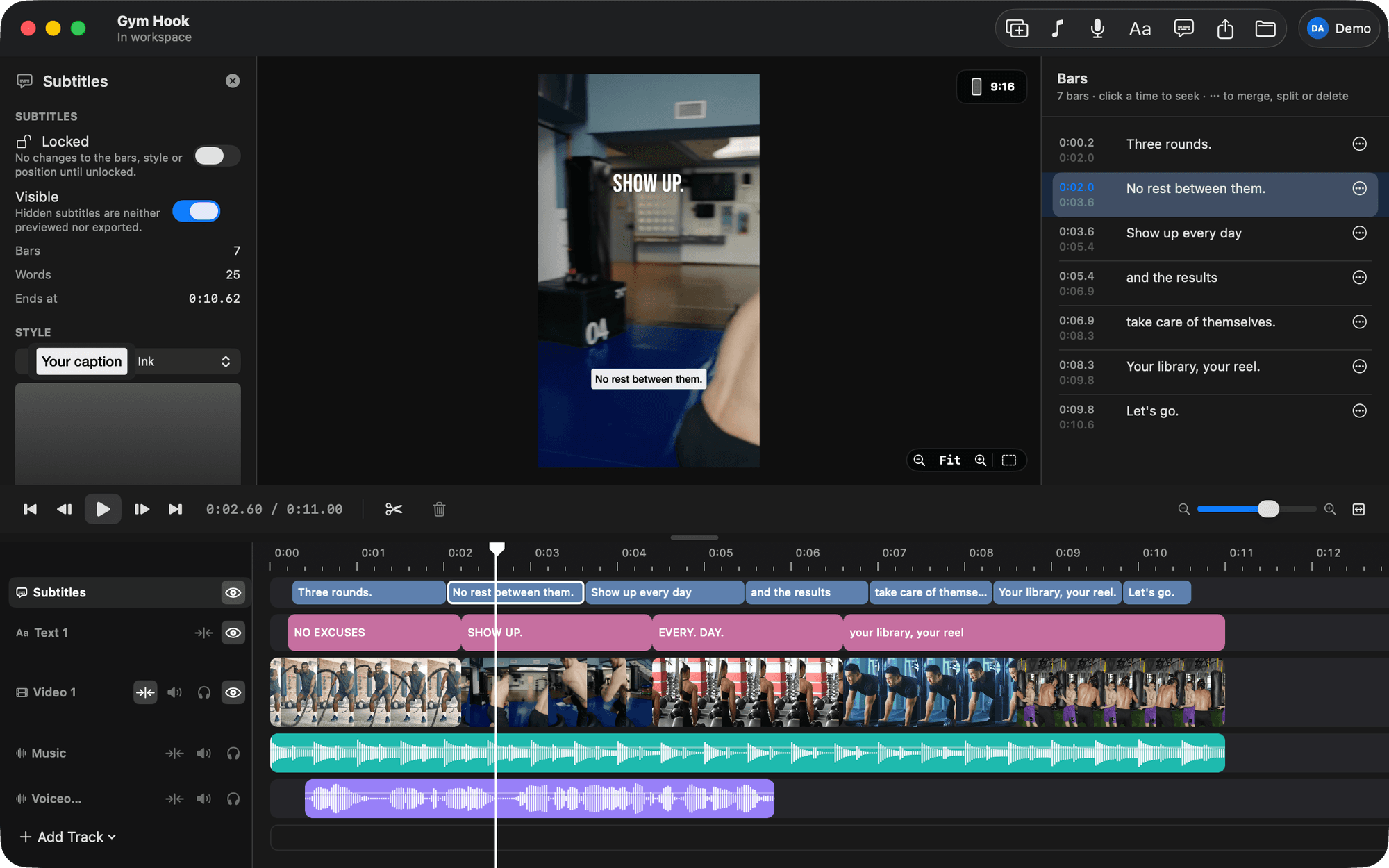
The bars are yours
Each bar is a start, an end and its text. Click the Subtitles track, open the Bars tab, and every bar is there for inline editing: click a time to jump there, type to fix a word, right-click to merge, split or delete. Or say it:
In the captions, "there" at 0:42 should be "their".
Bars don't follow later cuts. If you recut the picture, the bars stay where they were. So do captions last, or ask the agent to caption again. That replaces every bar, edits included.
Eight styles, and yours
Soft Pill, Airy Caps, Editorial, Ink, Mono, Bold Outline, Yellow Pop and Outlined Serif ship with the app. Each name in the style menu is drawn in its own look. Settings › Subtitle Styles is the editor, with a live 9:16 preview: font, size, colour, background box, outline, shadow, uppercase. Save one and it's in the menu.
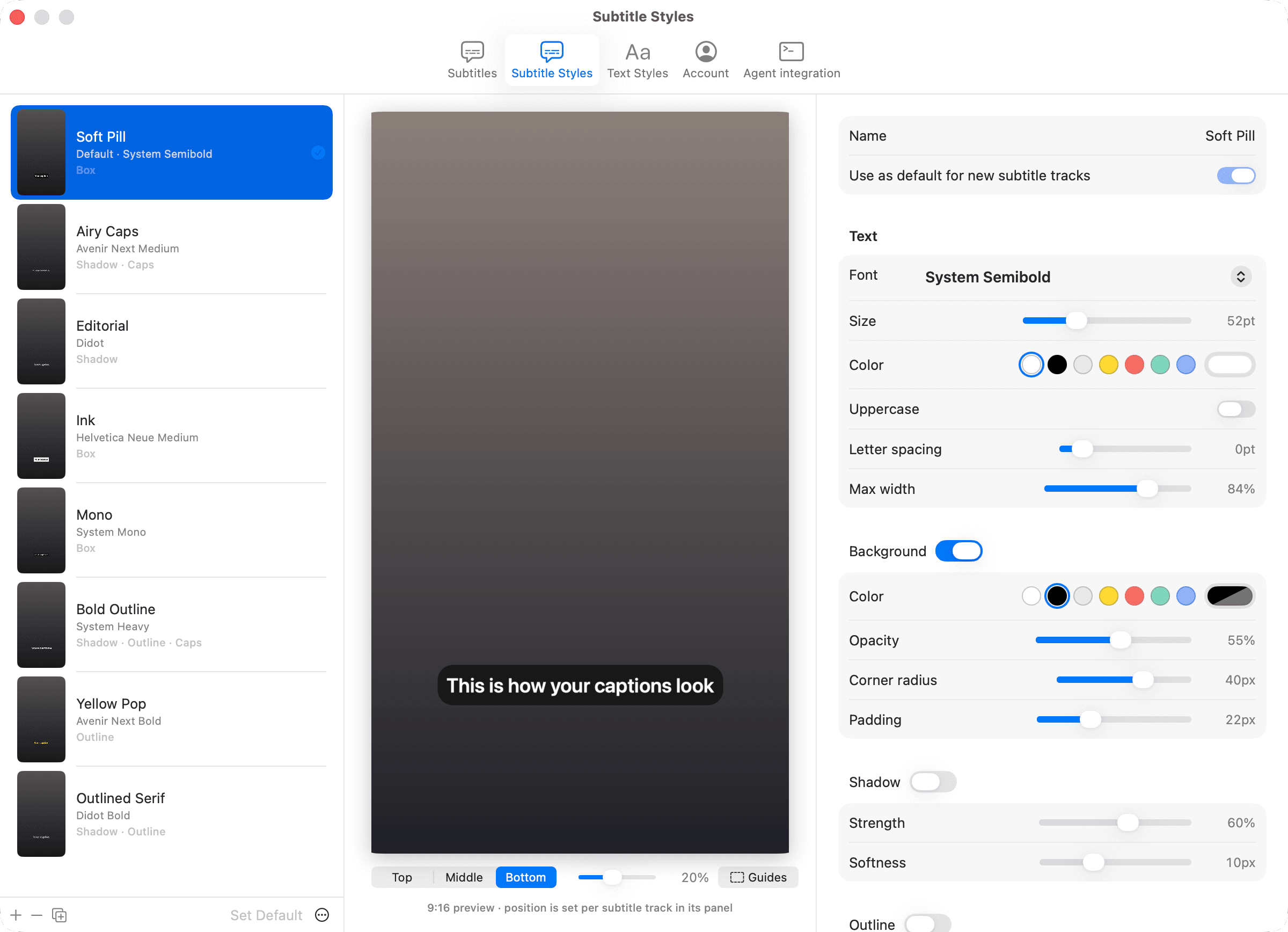
A style is copied onto a track when you apply it, so changing the saved style later doesn't change tracks that already use it. Apply it again to update one.
Clear of the Reels UI
Instagram draws its own interface over the bottom of the picture, and a caption under it is a caption nobody reads. Open the Guides menu in the viewer and the app shades the top and bottom zones, the feed crop and the profile grid.
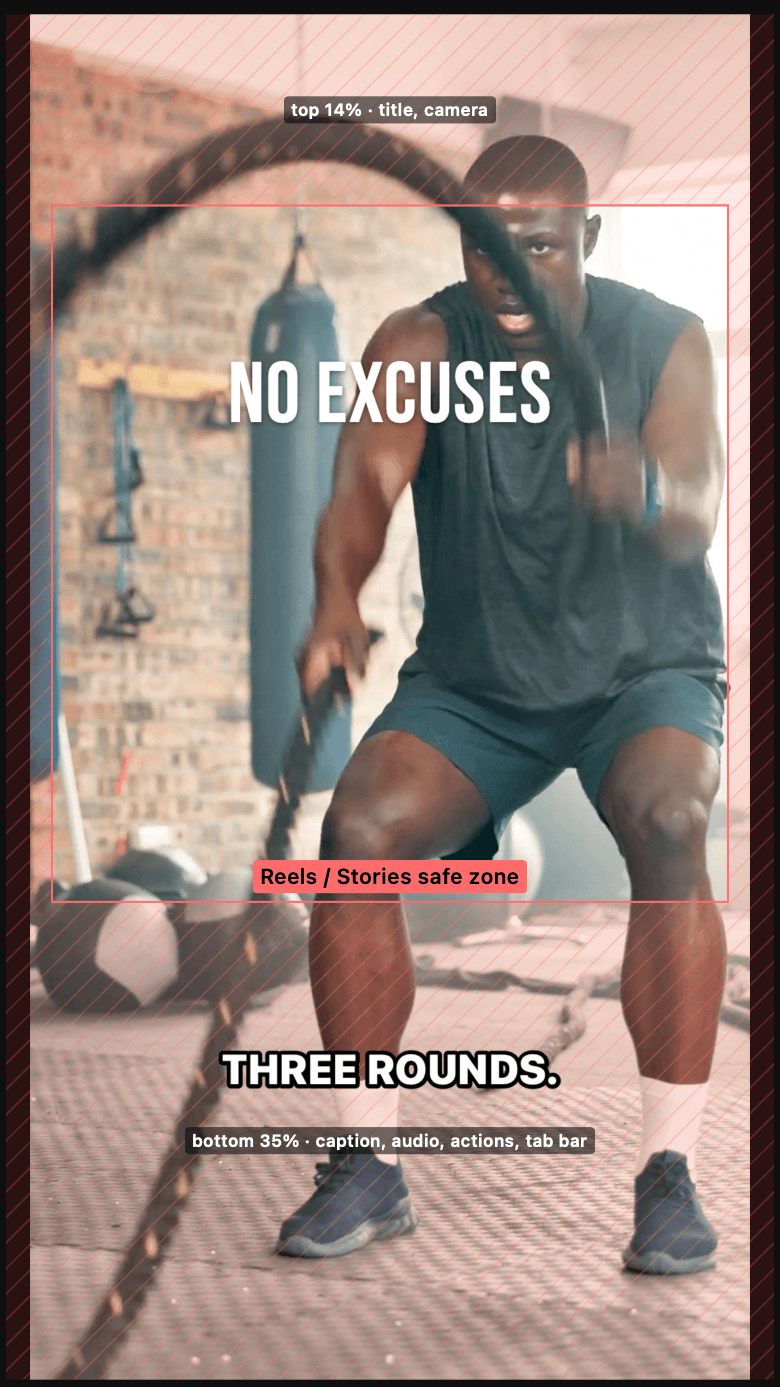
Position is per track: Top, Middle or Bottom, with an inset from the edge. About 20% from the bottom clears the Reels caption box. The agent can check this for you:
Move the captions up until they clear the Reels caption box, and show me a frame.
Burned in
The eye on the Subtitles track hides it from the preview and the export. Otherwise the visible bars are burned into every export with the same renderer the viewer uses, so what you see is what ships. In an HDR export they're drawn brighter than white so they hold up against the highlights.
The tutorial with every ask is Captions: styles, bar rules, fixing words and safe zones.
