
Block out a video before you shoot
Write the whole video as named slots with notes, shoot to the list, and drop the clips on the slots. Five built-in structures to start from.
Most short videos have the same shape every time: a hook, a few points, a close. BetterEdits lets you lay that shape out as named slots before you have a single clip, and Claude Code can write the layout from one sentence.
The five structures
New Video in the app offers five built-in structures. Each is a timeline of placeholders with notes on what to shoot:
| Structure | Slots |
|---|---|
| Talking head | Hook, points, close |
| Tutorial | The result first, four numbered steps, the result again, a voiceover slot |
| B-roll montage | Eight short shots under one title, a music slot |
| Before and after | Two states, one cut |
| Listicle | A hook, five numbered items, a call to action, a voiceover slot |
Pick one in the sheet, or ask Claude Code for it by name.
Ask for a structure
New 9:16 video called Hook v2: hook, demo, call to action, five seconds each, with music underneath.
Claude Code writes the timeline: three named placeholders on the video track and a music placeholder on the audio track. A placeholder plays as a black plate with its name, in the viewer and in exports, so the video already has a length and a rhythm.
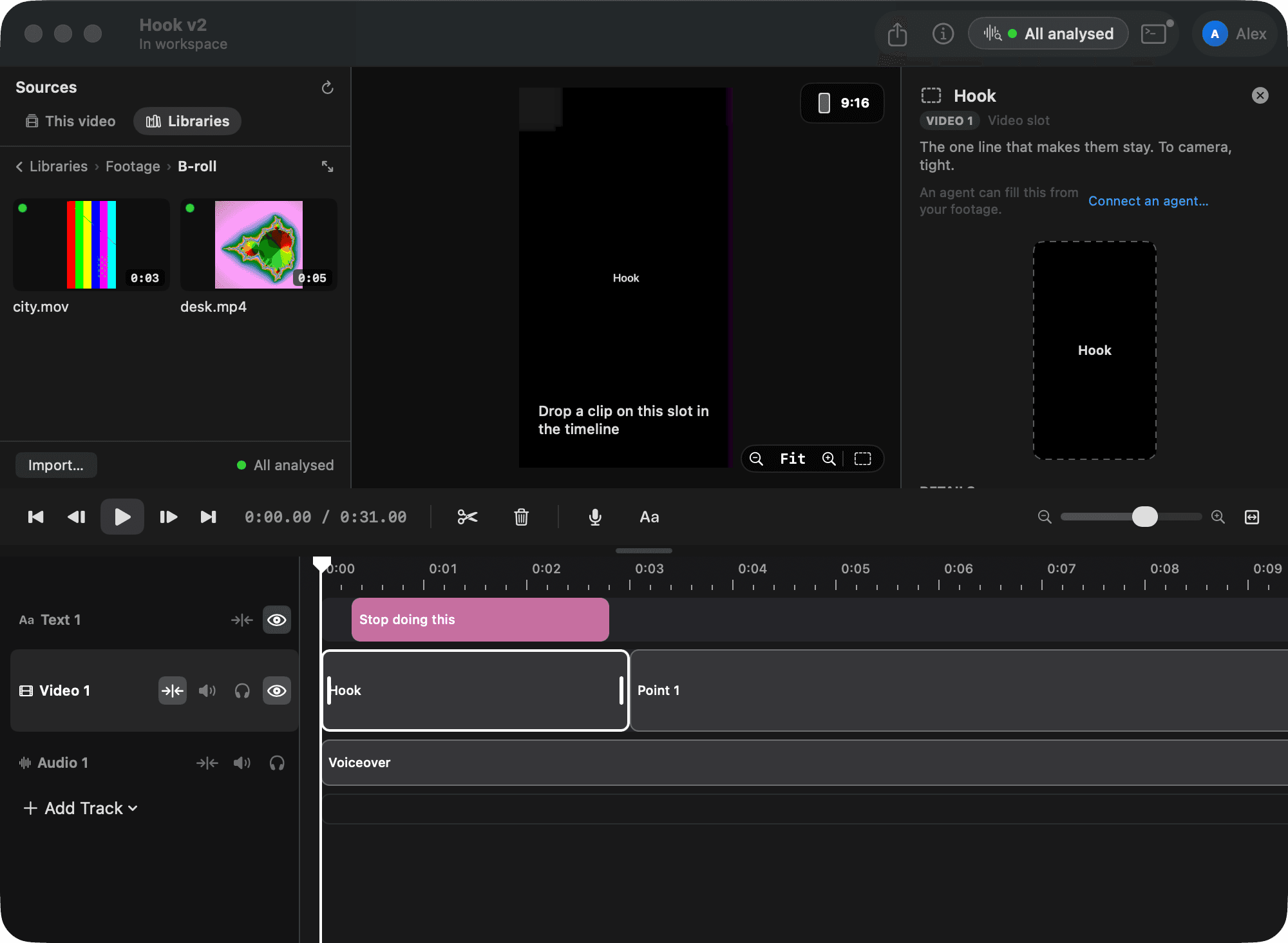
Add notes so you know what to shoot:
Add a note to each slot: hook is me at the desk saying the problem in one line, demo is the screen recording, call to action is me again.
Notes live on the clip and show in the sidebar when you select it.
Add the text while the slots are empty
Text doesn't need footage under it.
Put a title over the hook in the Strong favorite that says "Stop doing this", near the top, for the first two seconds.
Now you can see the whole video: black plates, a title, a music slot. That's the plan.
Shoot, then fill the slots
Back with footage, drop a file on a placeholder in the timeline. The file takes the placeholder's spot and length. A shorter file asks whether to keep its own length, fill the rest with a placeholder, or cancel.
Or let Claude Code fill them from your library:
Fill the hook slot with take-2.mov from "the problem is" to "every single time", and the demo slot with screen-1.mov from the start.
Once the footage is analysed, Claude Code finds those words. Until then, give it seconds instead.
Drop any song on the music slot. Music ducks under a voiceover on its own.
Keep the structure for next time
A structure you like is worth reusing. Next week:
New video called Hook v3 with the same slots as Hook v2, empty.
Claude Code reads the layout of Hook v2 and writes it into the new video: the placeholders with their names and notes, the title, the music slot, and none of the footage.
Why block out first
A blank timeline asks you to invent and edit at the same time. A row of named slots asks one question at a time: what goes here? Claude Code is good at the layout and you're good at the footage, and the placeholders are where the two meet.
