
Clean up a talking head: pauses, false starts, captions
One take to camera, the ums and restarts gone, captions on, in three asks. The job Claude Code does best.
A talking head is the video where the transcript is the edit. You know which pauses go and which sentence is the hook. Claude Code reads the words and does the dragging.
You need a workspace with Claude Code connected (see Your first cut) and one recording of you talking to camera, in your library.
Start with the words
Before you ask for a cut, ask what's in the file. This costs nothing and shows you whether the analysis is good.
What does take-3.mov say? Give me the transcript with the pauses marked.
If the file is still being analysed, Claude Code says so and waits for it. Then it prints the words with their times and the silences between them.
Read it once. You'll spot the false starts and the sentence you want to open with.
Ask for the cut, specifically
Vague asks give vague cuts. Say what goes and what stays.
Make a 9:16 video called Consistency from take-3.mov. Cut every pause longer than 0.8 seconds. Remove the two false starts at the top, before "three rounds a week". Leave a little air around each cut.
Claude Code writes the timeline as a run of clips from the same file, one for each stretch between cuts, and the app shows it right away. A 4-minute take usually becomes eight to fifteen clips.
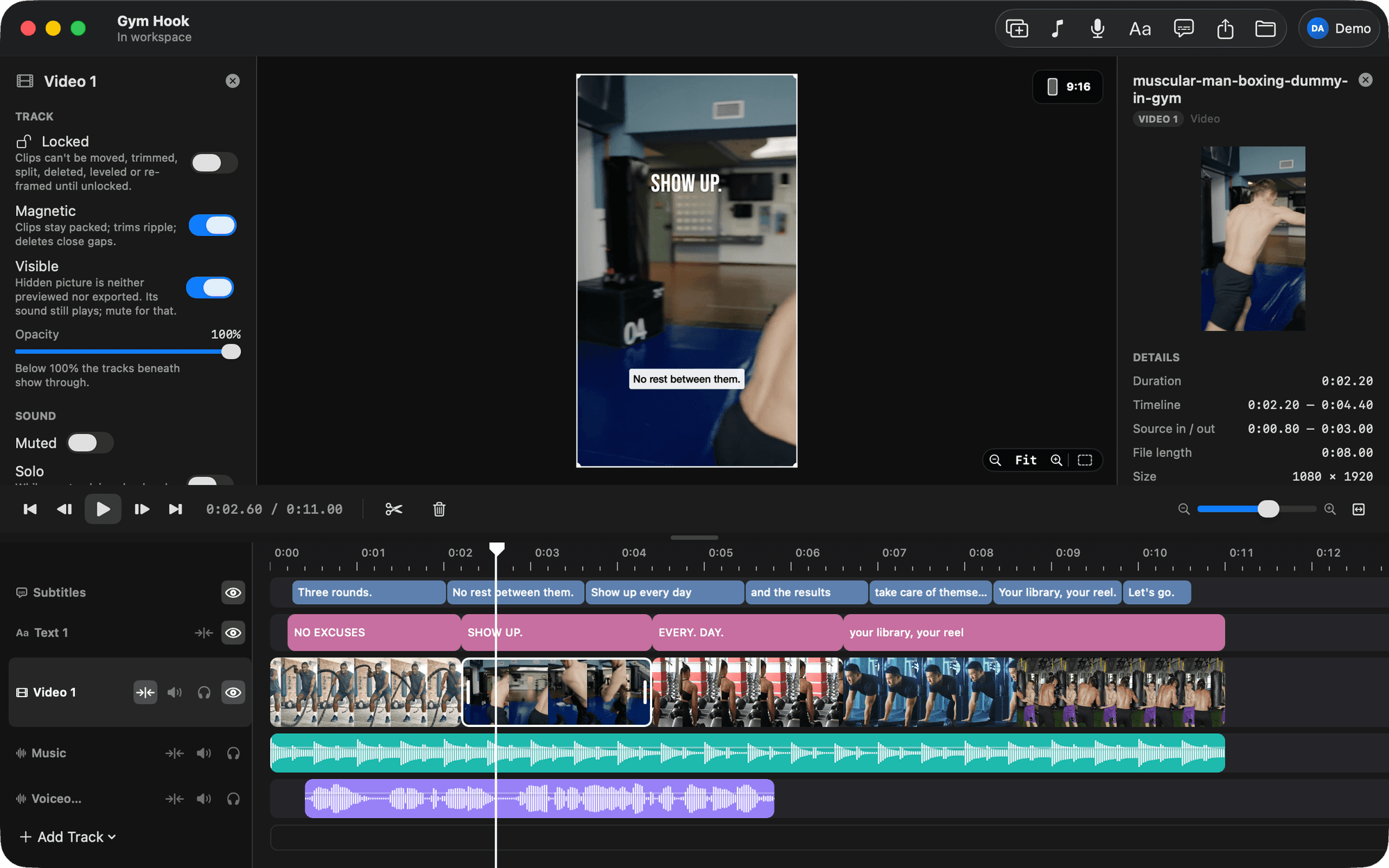
If a cut lands mid-word, say so with the words, not the seconds:
The cut after "results" is too tight. Give it a quarter second more.
Claude Code knows which clip you mean because it has the transcript.
Move the hook to the front
The best line is rarely the first one you recorded.
Move the clip where I say "nobody tells you this" to the start of the video.
Video 1 is a magnetic track, so the other clips close up behind it. Nothing else moves.
Caption it
Caption it in the default style, at the bottom.
Claude Code fills a Subtitles track from the transcript. Bars never straddle a cut, and a change of speaker ends a bar. The rules in Settings decide how many words go in each bar and how long one may last.
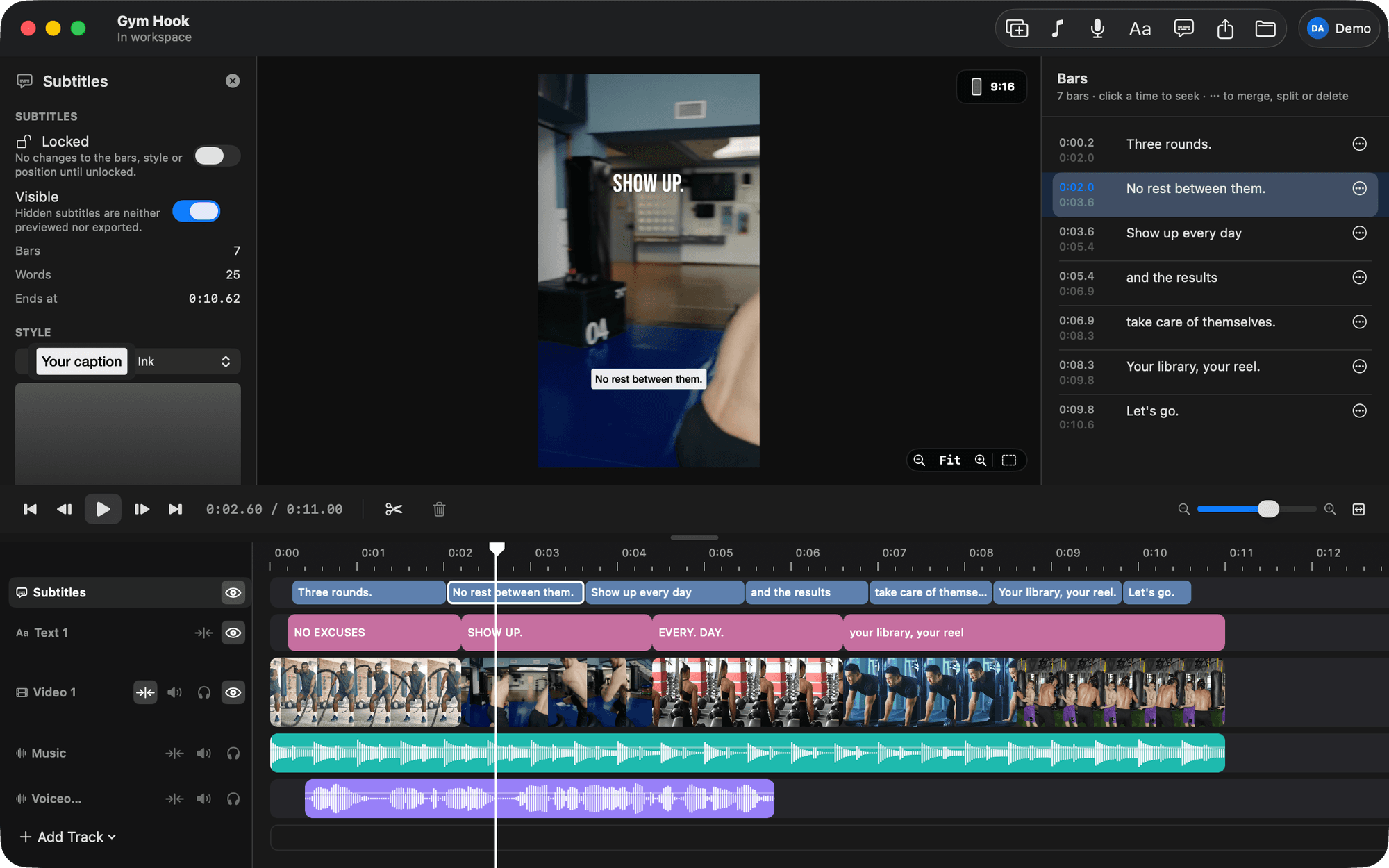
Click the Subtitles track and open the Bars tab on the right to read them. Click a time to jump there. Fix a word inline, or ask:
In the captions, "there" at 0:42 should be "their".
Check it without watching it
Claude Code can't watch the video, so it renders itself pictures. Ask for the same one it uses:
Show me a contact sheet, one frame per clip, with the captions on.
Look for a caption cut off at the bottom, or a frame where you're mid-blink at a cut. Point at the clip by what you say in it and Claude Code adjusts.
Export
Export it at HD, 30 fps.
The MP4 lands in your Movies folder, or wherever you last exported, and Claude Code prints the path.
Three things to know
- Captions don't follow later cuts. If you cut again after captioning, ask for captions again. That replaces every bar.
- Claude Code cuts by words and silences. It won't notice a bad frame. You will, in a second, on the contact sheet.
- Every change is one undo step in the app, even a rewrite of the whole timeline. Nothing Claude Code does is hard to take back.
